Choosing between SkyTrak models is the first big decision when you build a home golf simulator. In this SkyTrak vs ST MAX comparison we break down the original SkyTrak, the SkyTrak+ (ST+) and the flagship ST MAX so you can see exactly what you gain at each step – and which one gives you the best value for the way you practise.
SkyTrak vs ST MAX vs SkyTrak+ at a glance
| SkyTrak (original) | SkyTrak+ (ST+) | ST MAX | |
|---|---|---|---|
| Core technology | Photometric camera | Dual Doppler radar + photometric camera | Dual Doppler radar + photometric cameras |
| Ball data | Yes | Yes | Yes |
| Club data | – | Yes | Yes |
| Speed training | – | – | Speed Training powered by GOLFTEC |
| Design extras | Built-in WiFi hotspot | Portable, radar-equipped | Modular internal design, dual USB ports, charcoal finish |
| Ways to buy | New or certified pre-owned | Certified pre-owned | New or certified pre-owned |
The original SkyTrak: proven ball data for less
The original SkyTrak is the launch monitor that made home simulators mainstream. It uses a high-speed photometric camera to capture the ball just after impact and calculate launch angle, spin, ball speed, shot shape and carry distance. A built-in WiFi hotspot connects directly to a phone, tablet or computer running the SkyTrak app.
Choose it if: you want accurate ball data and realistic simulation at the lowest price, you are new to launch monitors, or you want a second unit for the range. The SkyTrak OG Golf Simulator package bundles it with an iPad, hitting mat and net for an instant setup.
SkyTrak+ (ST+): adding club data
The SkyTrak+ adds dual Doppler radar to the photometric camera system. That means you see what the club was doing at impact as well as what the ball did afterwards. For golfers working on swing changes, club data makes it far easier to understand why a shot curved or launched the way it did.
Choose it if: you want club data on a budget. Certified pre-owned ST+ units are fully refurbished and offer a lot of capability for the money – and the SkyTrak ST+ Studio Package pairs one with a full 10′ studio and a year of course play.
ST MAX: SkyTrak’s flagship
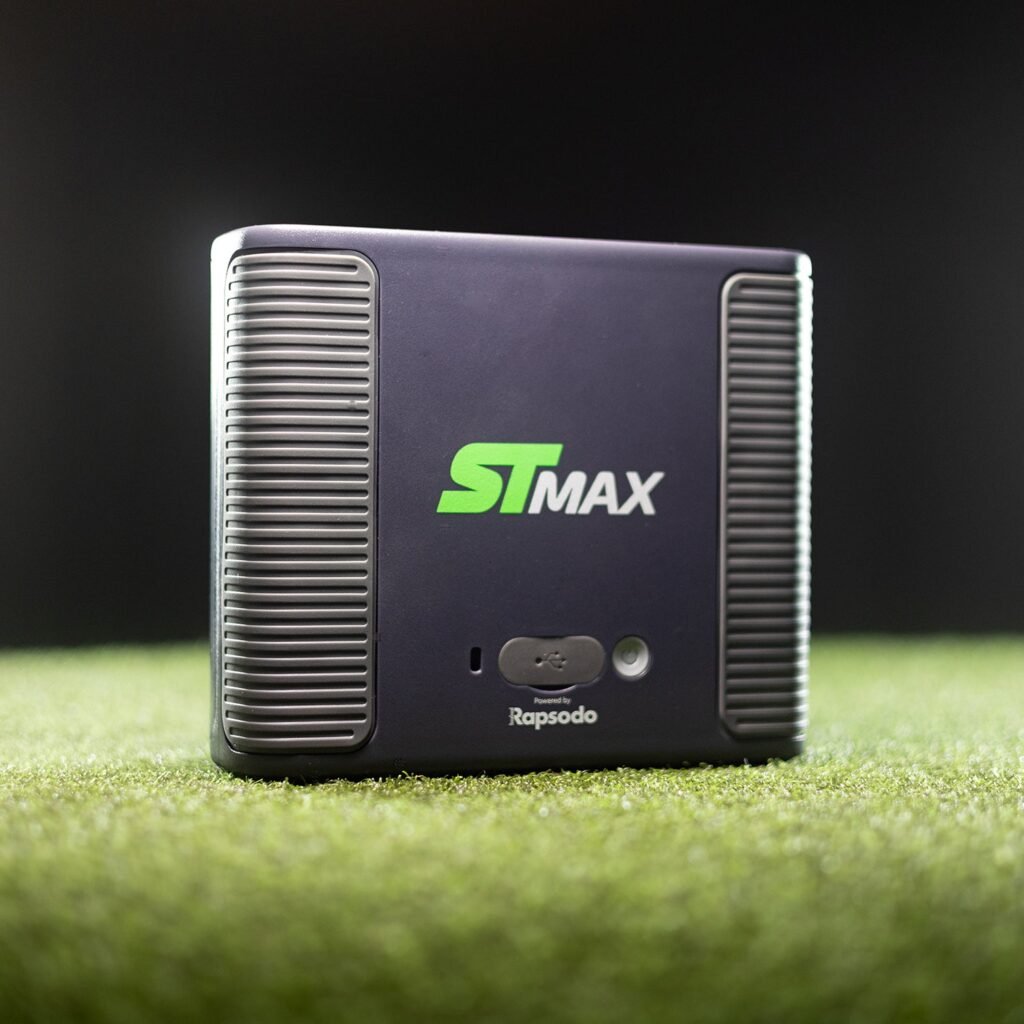
The SkyTrak ST MAX keeps the dual Doppler radar and photometric camera approach and builds on it. A new modular internal design reduces components and improves stability, helping the unit hold its calibration session after session. Dual USB ports let you charge and transfer data at the same time, so long sessions are never cut short.
The headline feature is Speed Training powered by GOLFTEC, which is exclusive to the MAX. Guided drills and measurable progress help you build clubhead speed – and speed is one of the most reliable ways to gain distance.
Choose it if: you want the newest SkyTrak hardware, plan to use your simulator several times a week, or want speed training built in. See our ST MAX golf simulator packages for complete studios.
What about software and memberships?
All SkyTrak launch monitors use the SkyTrak app. A short trial is included with new units, and ongoing features need a membership:
- Essential – driving range, bag mapping and practice libraries
- Core (FS) and Core (TM) – adds course play on the Foresight or Trackman course pack
- Elite – every course plus GOLFTEC perks
When comparing total cost, include the membership you will realistically use over the first few years.
New vs certified pre-owned
Certified pre-owned SkyTrak units are fully refurbished before sale and cost noticeably less than new. That saving can go toward an enclosure, impact screen or projector – the parts that have the biggest effect on how immersive your simulator feels. If you want the longest ownership runway and the latest hardware, buy new. If you want the most complete setup for your budget, consider certified pre-owned.
Which SkyTrak should you buy?
- Tight budget, focused on fun and ball flight: original SkyTrak (new or certified pre-owned).
- Want club data without paying flagship prices: certified pre-owned SkyTrak+.
- Want the best SkyTrak experience and speed training: ST MAX.
- Want everything matched and ready to go: an ST MAX studio package.
Don’t forget protection
Whichever model you choose, protect it. A thin or heeled shot can hit a launch monitor sitting next to the ball. Use the SkyTrak Metal Protective Case for the original SkyTrak, or the SkyTrak ST MAX protective case for the ST MAX and ST+.
SkyTrak vs ST MAX: frequently asked questions
Is the ST MAX worth the upgrade from an original SkyTrak?
If you want club data and speed training, yes. If you mainly hit balls for fun and want simple ball data, the original SkyTrak still does an excellent job.
Can I use SkyTrak outdoors?
Yes. All three models are portable. Use a net or range and keep the unit protected from rain.
Do all SkyTrak models work with the same memberships?
Memberships run in the SkyTrak app. Contact us if you want to confirm which plan suits your device.
How does a launch monitor actually work?
Camera-based units photograph the ball just after impact, while radar units track motion using the Doppler effect. Combining both gives a more complete picture of each shot.
Still deciding? Contact our team with your room size and goals and we will recommend the right SkyTrak for you.